
Take online bookings without the WhatsApp headaches.
PalasGo is a WordPress booking plugin built for dated tours, rentals, transfers, and experiences. Sell available dates, collect payment, control capacity, and keep your operations team clear on who is coming today.
Stop patching bookings together by hand.
When every enquiry happens in a chat thread, your team has to remember dates, headcounts, pickups, payments, and last-minute changes. PalasGo gives operators one booking flow that customers can use themselves.
Manual WhatsApp bookings
Customers ask for prices, dates, and bank details again and again while your team is trying to run the tour.
Overbooking risk
One missed update can sell a full boat, packed ATV slot, or unavailable rental date.
No clean payment flow
Manual bank transfers slow customers down and make it harder to match payment with booking details.
Chasing confirmations
Your admin ends up sending reminders, review links, and payment follow-ups one customer at a time.
PalasGo Core handles the booking flow from calendar to confirmation.
Core is the required booking plugin. It gives you the calendar, pricing, availability controls, Stripe payments, customer emails, admin dashboard, worker portal, and branding tools your tourism business needs.
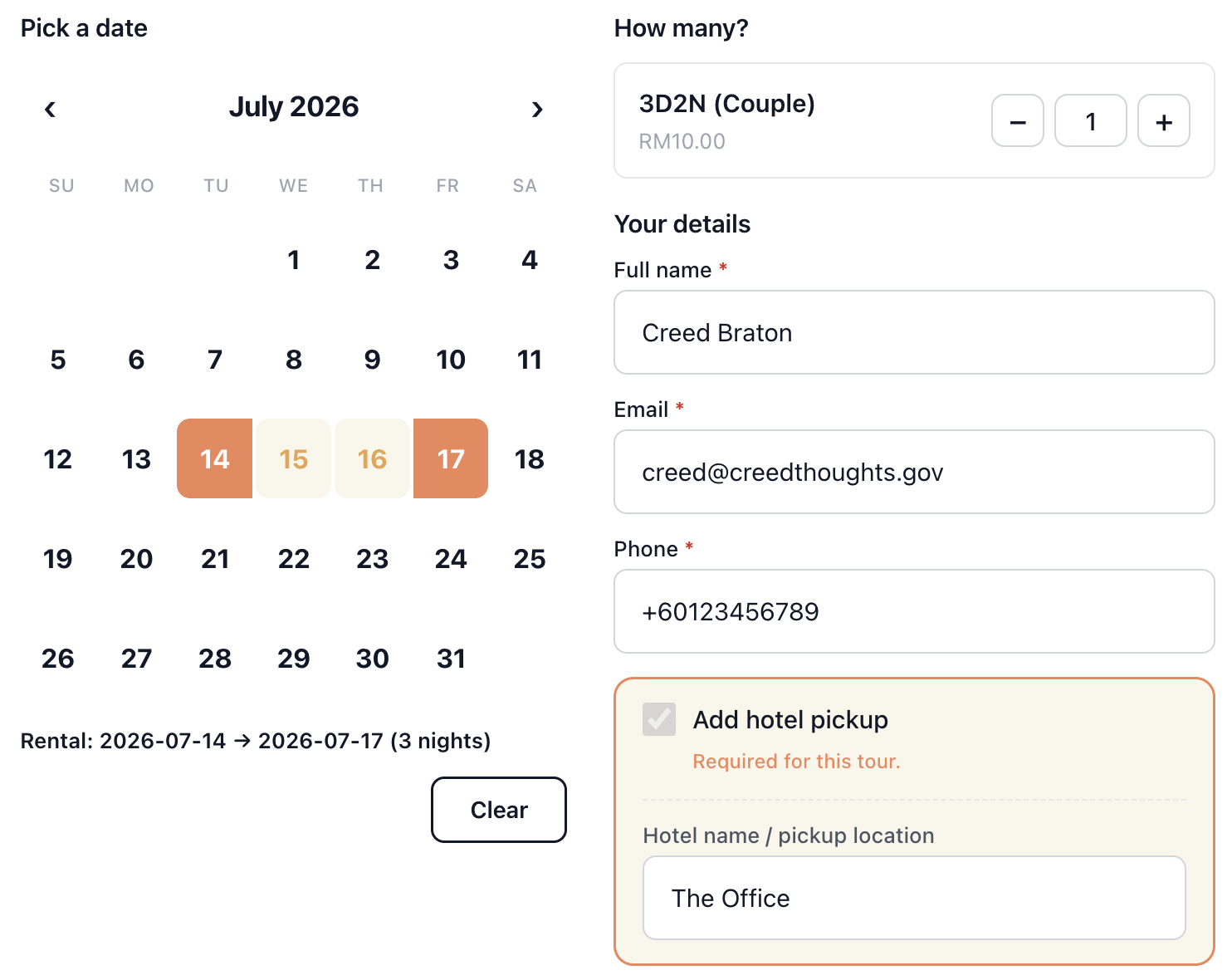
Booking calendar and widget
- Drop the booking form on any page with a single shortcode that works in Gutenberg, Elementor, and any page builder.
- Show customers a live price calculator that updates as they pick dates, guests, and add-ons.
- Sell single-day trips, multi-day packages such as 3D2N and 4D3N, or car rental date ranges.
- Give customers a mobile-friendly calendar they can use clearly on any device.
Pricing and products
- Create multiple pricing categories per product, including Adult, Child, Equipment, per-unit rates, or flat-rate fees.
- Charge more during peak periods with seasonal and weekend pricing rules.
- Reward bigger groups with automatic tier-based group discounts.
- Let customers add extras such as drone, equipment, or other add-ons at checkout.
- Offer accommodation choices for tour packages with room type and per-night pricing.
- Collect per-guest options such as meal preference or t-shirt size.
- Show foreign tourists converted prices in USD, EUR, or SGD while you keep your main pricing in MYR.
Availability control
- Set daily capacity limits so your team never sells more seats, vehicles, or rooms than you can deliver.
- Turn specific weekdays on or off, such as running tours Tuesday to Sunday only.
- Close specific calendar dates with one-click blackout dates.
- Set minimum and maximum advance booking windows, such as 48 hours ahead and up to 90 days out.
- Sell morning, afternoon, and sunset trips on the same day with time slots and sessions.
- Choose from 4 slot modes: fixed daily, per-weekday, custom per date, or no slots.
- Close one time slot on one date with session-level blackouts without affecting other sessions.
- Auto-close bookings a set number of hours before the session starts with booking cutoff rules.
Hotel pickup and logistics
- Add hotel pickup with a preset list and apply the right surcharge per hotel automatically.
- Capture drop-off locations for airport transfers and rental returns.
- Show a GPS meeting point with an interactive map so customers know exactly where to go.
- Upload a counter photo so customers know what to look for at the jetty, office, or airport.
Stripe payment
- Use Stripe Checkout in test mode while setting up, then flip to live when your booking flow is ready.
- Accept FPX Malaysian online banking payments through Maybank, CIMB, and more.
- Use booking-only mode when you prefer pay-later or pay-on-arrival flows.
- Add booking fees and tax automatically, including service charges or SST.
Voucher and promo codes
- Create promo codes for percentage or fixed discounts.
- Control minimum spend, usage limits, date validity, and per-customer limits.
- Let customers apply codes directly on the booking form and see the total update instantly.
Automated emails
- Send booking confirmation to the customer the moment payment clears.
- Send a day-before tour reminder so customers do not forget their trip details.
- Send a day-after review request to your Google or TripAdvisor page.
- Recover abandoned bookings by nudging customers who started but did not pay.
- Notify admins on every new booking.
- Send fully branded HTML emails with your logo and brand colors without needing design skills.
Admin dashboard and reporting
- Track revenue, bookings, and average booking value KPIs with week-over-week comparison.
- See today's operations, including who is coming, which hotel pickup they selected, and which time slot they booked.
- Review the upcoming 7-day view and approval queue in one place.
- Spot "needs attention" alerts for uncaptured payments, stale requests, and failed checkouts.
- Export a CSV with booking, payment, and customer details in one click.
- Send retry payment links to customers who abandoned checkout.
Booking management
- View the full payment timeline per booking, from created to authorised, captured, and refunded.
- Use separate Cancel, Refund, and Refund + Cancel actions so staff know exactly what will happen.
- Resend any customer email directly from the booking record.
- Add private internal notes per booking for your team.
Worker portal
- Give tour guides a separate web page to log into without WordPress admin access.
- Show today's bookings, upcoming tours, and customer details.
- Let staff check bookings from their phones at the jetty, counter, or pickup point.
Branding
- Set your brand color once and apply it to the booking form, calendar, buttons, and customer emails automatically.
- Upload your logo to every customer email.
- Keep the booking experience on-brand without editing CSS.
Upgrade Elementor tour pages into a Klook-style buying experience.
PalasGo Tour Builder is a separate optional add-on for Elementor users. PalasGo Core is still required; Tour Builder gives you the premium tour page layout around the Core booking widget.
Simple pricing in MYR.
Start with PalasGo Core. Add Tour Builder only if you use Elementor and want a premium Klook-style tour page layout.
Core Monthly
Full PalasGo Core feature set for 1 WordPress site.
- Booking calendar and shortcode widget
- Live price calculator
- Availability, capacity, slots, and blackout controls
- Stripe Checkout with FPX support
- Promo codes, fees, tax, and add-ons
- Automated customer and admin emails
- Admin dashboard, CSV export, and booking management
- Worker portal for staff and guides
Core Yearly
Save RM 120 vs monthly. Includes everything in monthly for 1 WordPress site.
- Everything in Core Monthly
- Booking calendar and shortcode widget
- Seasonal pricing, group discounts, and add-ons
- Daily capacity, session slots, and booking cutoff
- Stripe Checkout, FPX, booking-only mode, fees, and tax
- Automated confirmations, reminders, and review requests
- Admin reporting, needs-attention alerts, and CSV export
- Branding controls for forms, buttons, and emails
Tour Builder Add-On
Requires PalasGo Core. Built for Elementor users.
- Klook-style Elementor tour page
- Hero gallery for mobile and desktop
- Sticky tabs for Packages, What to expect, Before you go, FAQ, and Reviews
- Package tabs with prices and per-package booking forms
- Included and not included checklists
- FAQ accordion and customer reviews with star ratings
- PalasGo Core booking widget embeds directly into the page
Questions operators ask before switching.
Short answers for Malaysian tour, rental, and transport teams who want to know how PalasGo fits their day-to-day operations.
Do I need Stripe? Can I take bookings without online payment?
You can use Stripe Checkout when you want online payment, or booking-only mode when you prefer pay later, pay on arrival, or manual confirmation.
Is FPX online banking supported?
Yes. PalasGo Core supports Stripe Checkout with FPX, so Malaysian customers can pay through online banking options such as Maybank, CIMB, and more.
Can I use this without Elementor?
Yes. PalasGo Core works with a shortcode, so you can place the booking form in Gutenberg, Elementor, or other page builders. Elementor is only needed for the optional Tour Builder add-on.
What happens if my internet goes down? Will my data be safe?
Your bookings are stored in your WordPress site database and payment records stay connected to Stripe. If your connection drops, you can check again once your site and internet are reachable.
Can I run multiple products with one plugin?
Yes. You can create different products for ATV rides, island hopping, sunset cruises, private transport, rentals, or other dated experiences.
How does the hotel pickup surcharge work?
You create a preset list of pickup hotels or areas and assign the surcharge for each location. When a customer selects a pickup, PalasGo adds the correct fee automatically.
Can my staff check bookings without accessing WordPress admin?
Yes. The worker portal gives guides and front-line staff a separate mobile-friendly page for today's bookings, upcoming tours, and customer details.
Is there a free trial?
There is no free trial listed on this page. You can start monthly with PalasGo Core at RM 110/month, or choose yearly if you want the best value.